
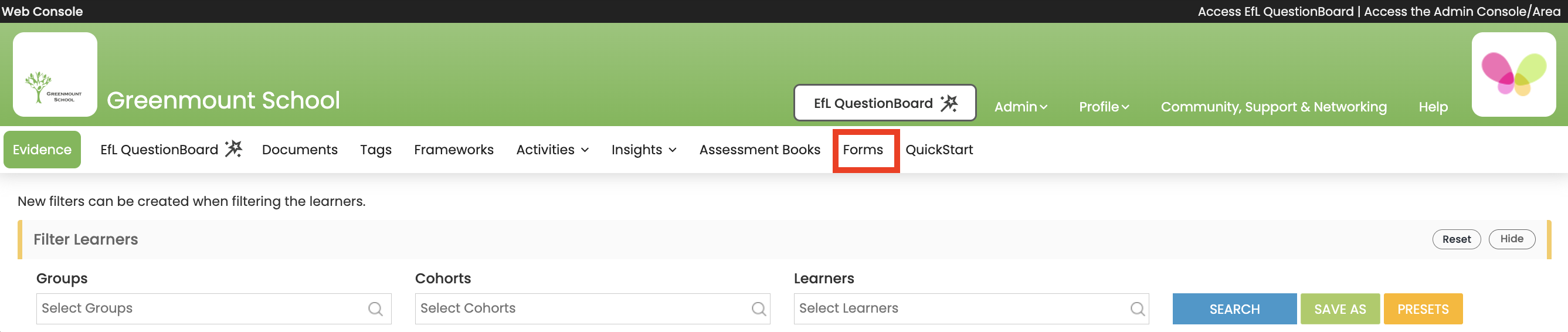
Why can't I see Forms (top menu)?
EfL Forms is an optional add-on to your subscription. It lets you easily create custom online form templates that can be used to co-produce and manage digital forms for a variety of uses, such as student profiles (e.g. communication profiles, sensory profiles, engagement profiles, etc…); ongoing and end of period (e.g. term, year, cycle, provision) reports; annual reviews checklists, behaviour support plans and many more.
EfL Forms can be added to an EfL subscription at any point if needed/wanted.
If you don’t can’t see a link to Forms in the top menu, check that your educational setting has added this to their subscription.
Once your setting has subscribed to EfL Forms, the EfL Lead needs to set up Form Users. If you cannot see the EfL Forms button in the top menu you may need permission adding to your account. Please check with your EfL Lead that you have been given Form User permission.
Once this has been added to your User Account the EfL Forms button will appear in your top menu.
See guidance on how EfL Assessment Managers set up EfL Form User Permissions.